Softens instead of freezing
Full HD by default. When the connection gets weak the picture softens for a moment and snaps back, instead of freezing. A 4K mode is there for when both sides can carry it.
 GemFlare


Full HD by default, with a 4K mode when both sides can. No password: one WhatsApp message signs you in.
iPhone app: coming soon · Free while in beta · No ads
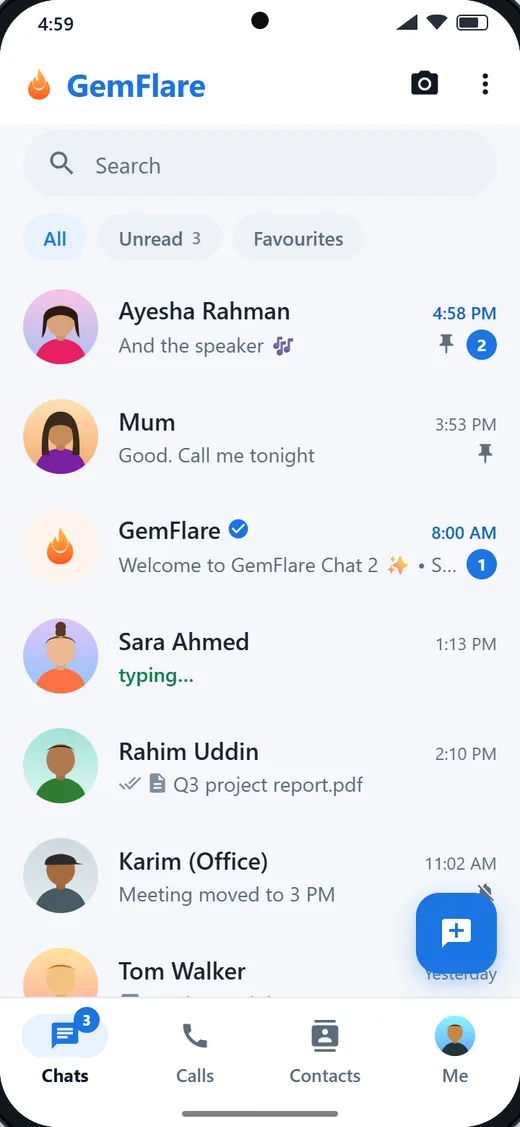
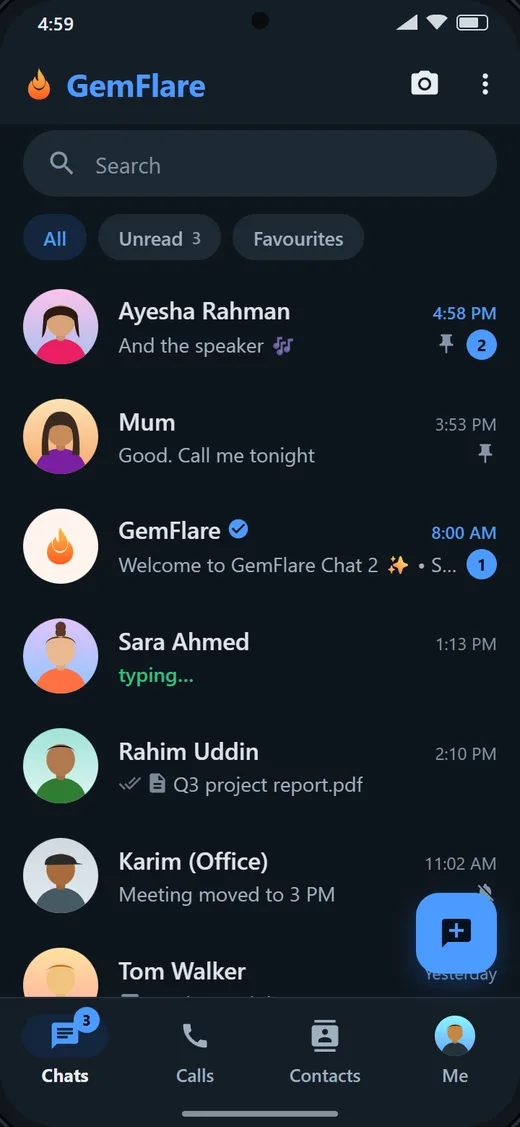
App screens are drawn from the app's design; the people in them are made up.
Built for the picture
Full HD by default. When the connection gets weak the picture softens for a moment and snaps back, instead of freezing. A 4K mode is there for when both sides can carry it.
Your call connects to the Cloudflare data centre nearest you, in 300+ cities, and crosses Cloudflare's network to the one nearest them.
Wi-Fi dropped for a moment? The call shows "Reconnecting" and quietly rebuilds its connection with your camera and microphone still open. No redial, no "can you hear me now".
Everything a call needs
Start with voice and add video any time, or answer a video call with voice only. Your phone rings properly, even in your pocket.
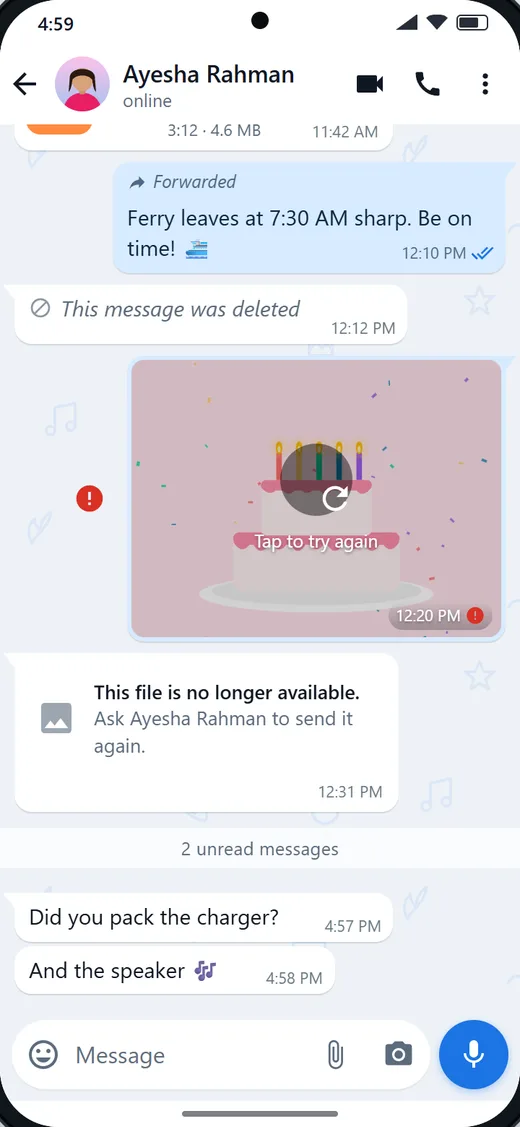
Messages, photos, videos, voice notes and files, end-to-end encrypted on the latest Android app and GemFlare Web. Reactions, replies, read receipts you can switch off.
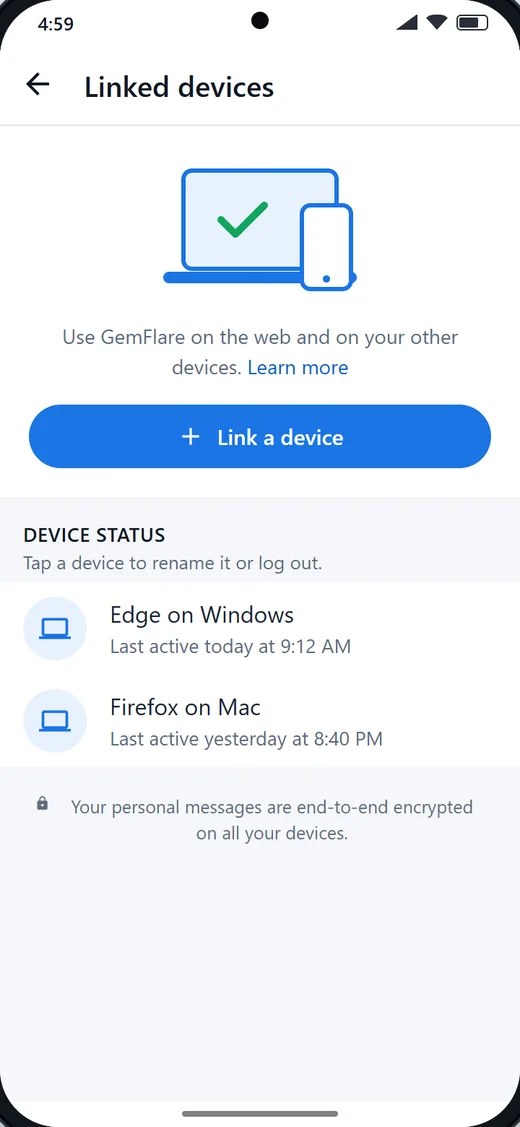
Use GemFlare Web on your computer by scanning a code from the app. See each device, when it was last active, and log one out from your phone.
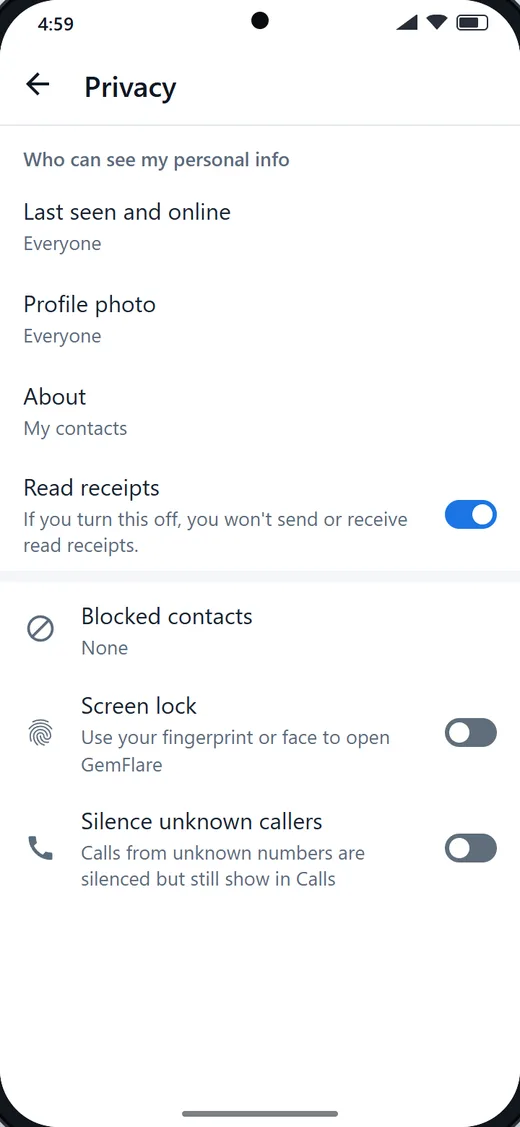
Who sees your last seen, your photo and your about. Blocked contacts. Screen lock with your fingerprint or face. Read receipts on or off.
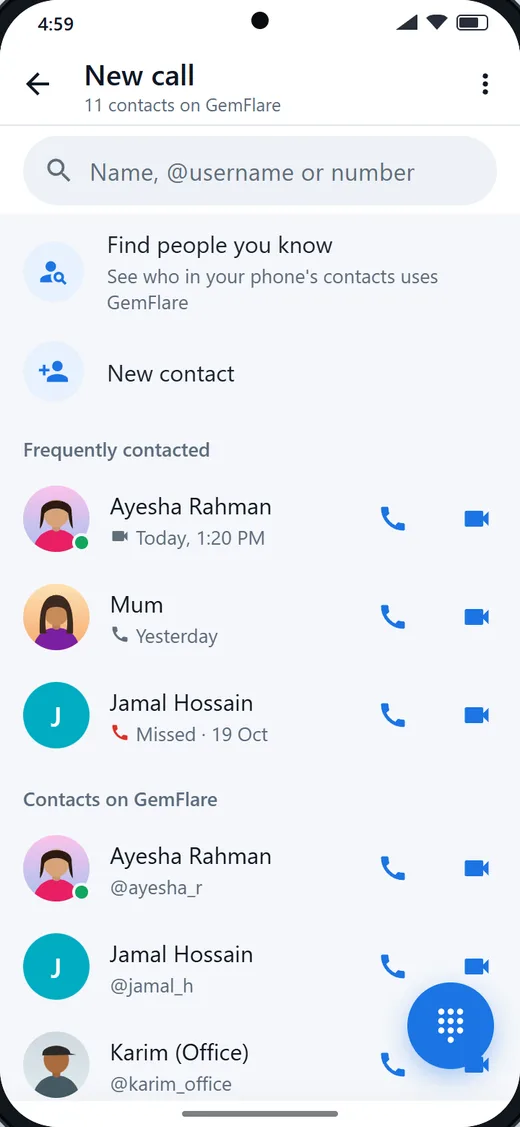
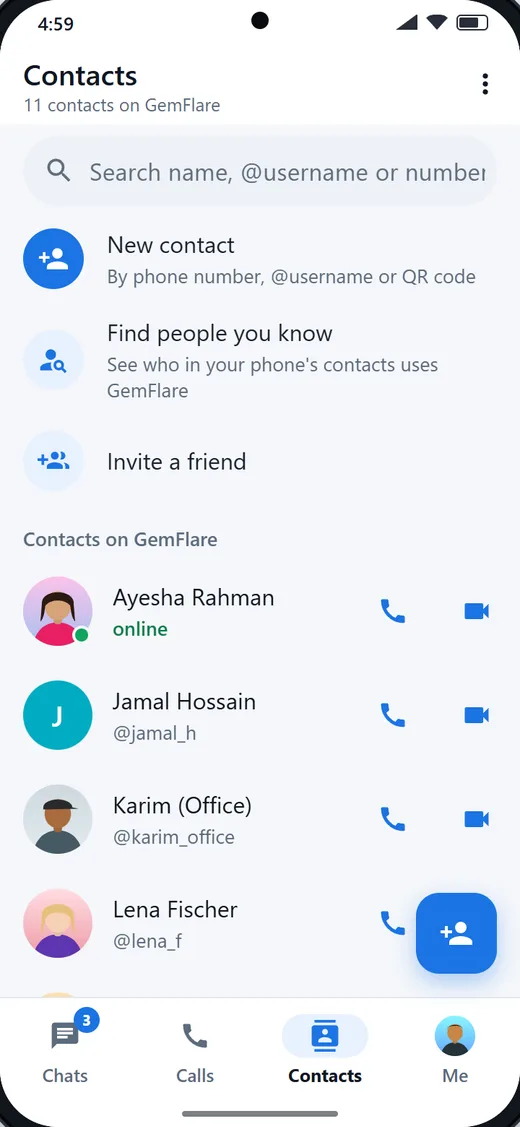
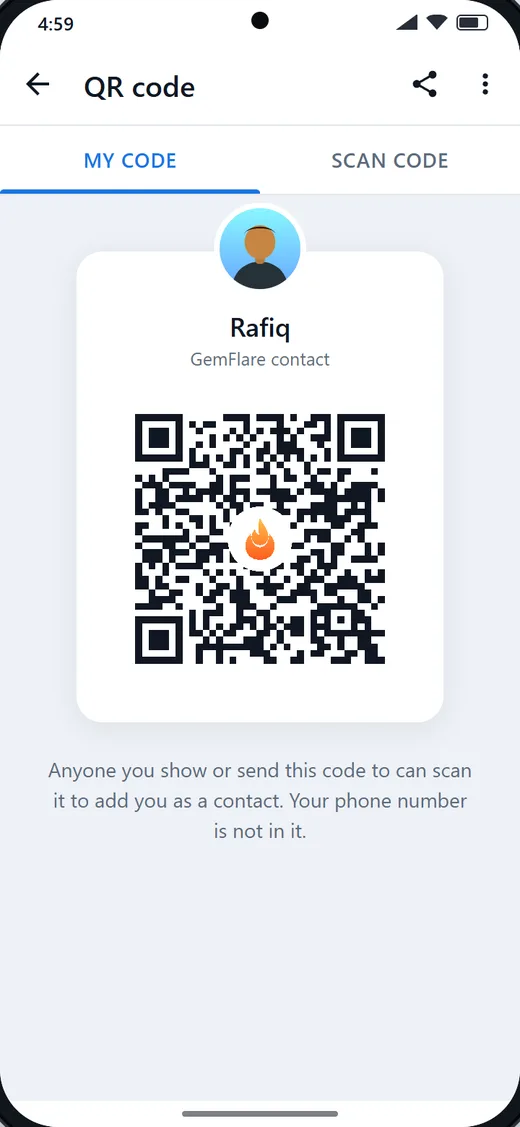
See who in your phone's contacts uses GemFlare, add someone by number, @username or QR code, and send a friend an invite link.
GemFlare Web links to the app on your phone, like WhatsApp Web: Chrome, Edge, Safari or Firefox on Windows, Mac or Linux. Nothing to install on the computer: scan, and your chats and calls are there.
Three steps to your first call
Get GemFlare from Google Play. On a computer, GemFlare Web links to the app on your phone, like WhatsApp Web.
Type your number. The app opens WhatsApp with a code already filled in; send it. That message is your sign-in. No password, and usually nothing to type back.
Enter a friend's number or pick a contact. If they are on GemFlare, their devices ring.
Most apps send you a code and wait for you to type it back. GemFlare works the other way round, and that is what makes it safer.
GemFlare makes a code like GEMF-7K2QXA, shows it to you and keeps it for ten minutes. Nothing is sent to your phone, so there is nothing to misroute. You send the code from your own WhatsApp, and WhatsApp tells us the verified number it came from. The code is tied to the number you typed before it is even made, so sent from another WhatsApp account it signs nobody in.
Messages you start are free to receive, so this path costs nothing. Only when WhatsApp withholds your number does a six-digit code come back to you the usual way.
On your computer too
Open web.gemflare.com, scan the code from the app, and your chats and calls are on the big screen. Rename a device, see when it was last active, log it out from your phone.
Open GemFlare Web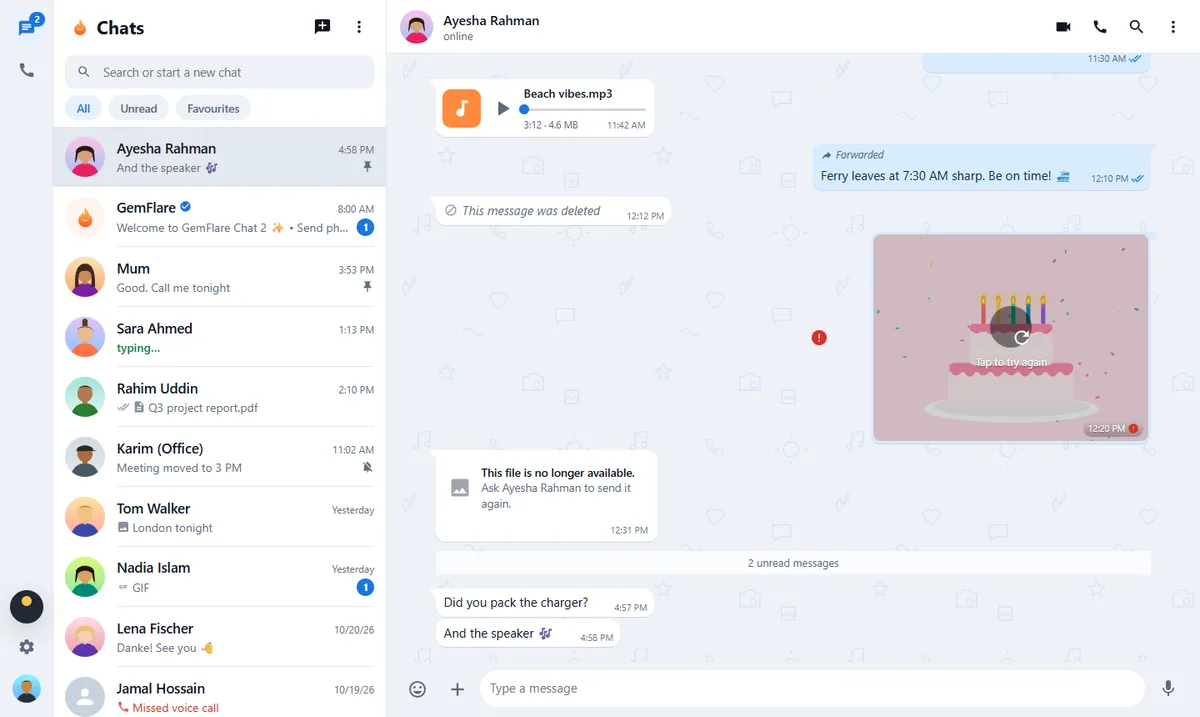
GemFlare is completely free while in beta — every feature, no card, no catch. When paid plans arrive, here's what they'll look like:
No surprise charges, ever: when an allowance runs out, quality steps down or calls continue as voice — nothing is billed behind your back.
Yes. The beta is free while we grow, and it is paid for by us rather than by you. No ads, no data resale. The plans above show what paid options will look like later.
A phone number and WhatsApp on your phone. There is no password: you send one WhatsApp message with a code the app fills in for you, and your number is your account. The code is tied to your number and lasts ten minutes.
Android 8.0 and newer from Google Play. On a computer, GemFlare Web links to the app on your phone (like WhatsApp Web) in Chrome, Edge, Safari or Firefox. The iPhone app is coming soon.
Calls are encrypted in transit with standard WebRTC encryption (DTLS-SRTP) and relayed, never stored, by Cloudflare's realtime network. Calls are not recorded.
On the latest Android app and on GemFlare Web, yes: messages and media are encrypted on your device and only your devices and the other person's can read them. Older app builds and the old web page use the earlier chat, which is not end-to-end encrypted.
Calls are Full HD by default. A 4K mode is a setting you turn on yourself, and it works when both phones and the connection can carry it; otherwise the call stays at Full HD. 4K uses a lot more data than Full HD.
Yes. Open web.gemflare.com, scan the code with the app, and your chats and calls are on the big screen. You can link up to 5 browsers (six devices with your phone) and log any of them out from your phone.
Not yet. GemFlare is one-to-one today, by design: everything is tuned for the quality of a call between two people.